3d Stack Cube Surfer
Instructions:
Mouse ControlsDescription
3d Stack Cube Surfer Player Reviews and Tips
Pro-Level Advice
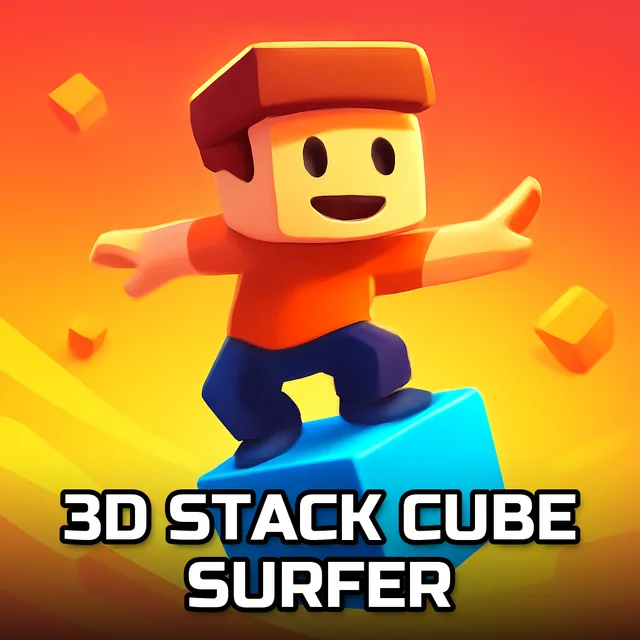
Most people who bounce off this game quit in the first thirty seconds because they treat it like a twitch reflex test. Wrong approach. The mouse control is deceptively simple, but the timing window for a clean cube drop is smaller than it looks, and stacking crooked early on snowballs into a wobbly tower that costs you the run later. Watch the rhythm of your own cursor movement before you commit to a tap. Slower, more deliberate drops on tricky color-line sections beat rushing every single time, and if you notice your stack drifting to one side, correct it immediately instead of hoping the next block fixes it. Cutting corners on the road literally and figuratively tends to backfire once obstacles start clustering near the finish line.
The difficulty ramps up gradually, so early levels feel almost lazy, just tap and roll forward while your cube tower grows behind you. There's no heavy plot here, no dialogue or characters to track, just a straightforward run-and-stack loop across thousands of levels with a career mode that asks you to collect and build bigger towers as you go. It's the kind of structure that rewards patience more than speed, which catches a lot of players off guard.
Why You Should Play
There's something weirdly relaxing about watching a messy pile of colored cubes turn into a smooth, surfable tower, one finger tap at a time. The controls stay minimal the entire way through, so it never feels like you're fighting the interface, just your own timing. Free mode is there when you want to zone out without stakes, and career mode gives you an actual reason to chase bigger stacks and better runs. Add in the sheer volume of levels and the arcade-style pacing, and it's an easy pick for anyone who wants a low-pressure game they can jump into for five minutes or fifty.